Apio sim
apio sim
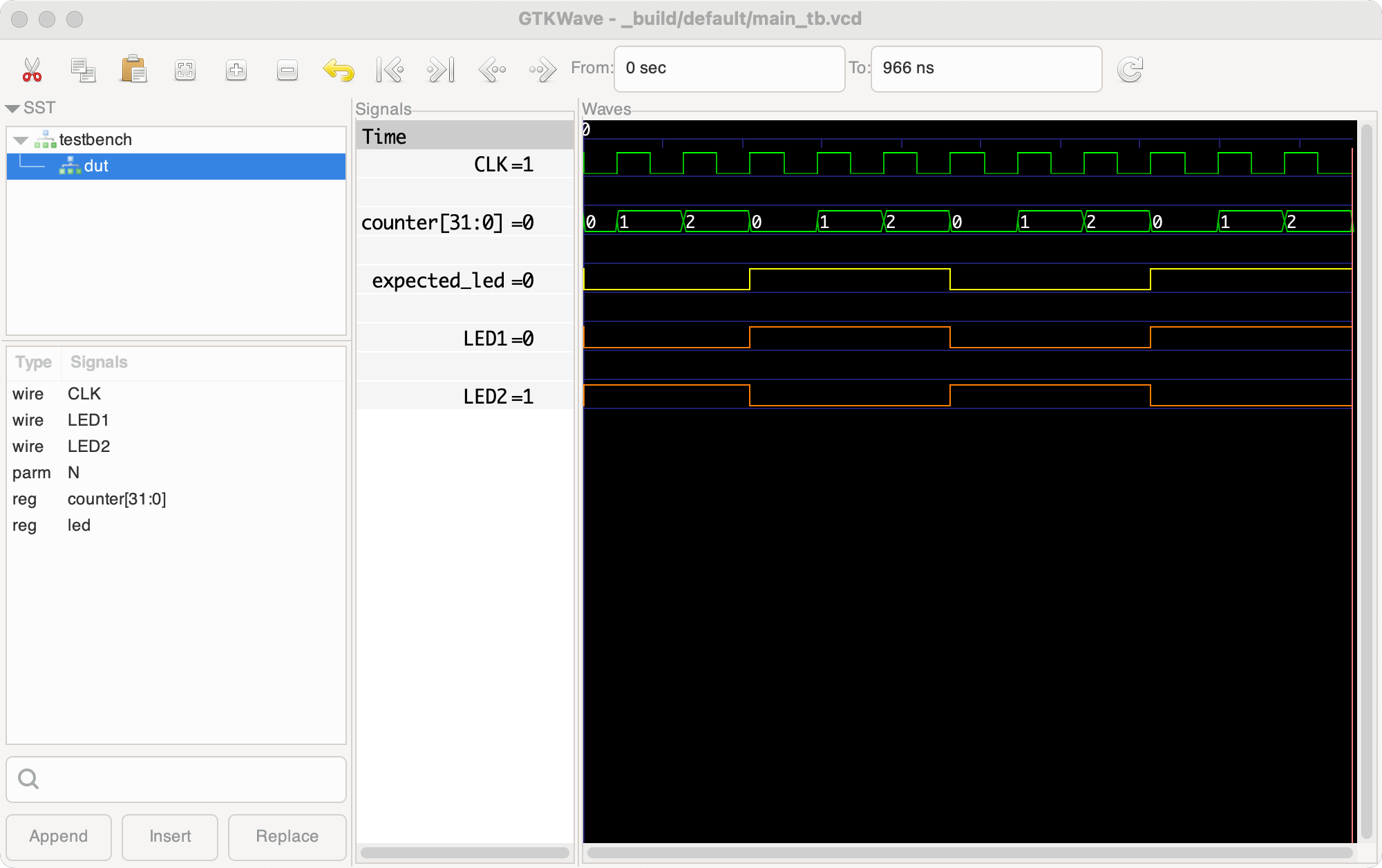
The apio sim command runs a simulation for the default or specified
testbench and displays the results in a GTKWave window. Testbench files
should end with _tb, such as main_tb.v or main_tb.sv. You can set
the default testbench using the default-testbench option in apio.ini.
If this option is not set and there's only one testbench in the project,
that file will be used.
If the testbench doesn't have a matching user-saved .gtkw
file, apio sim creates it automatically on each run to to have
GTKWave displaying the testbench signals. To customize the presentation of the
signals, modify them in GTKWave and save your configuration using the
File > Write Save File menu command. The apio sim command will never
overwrite a .gtkw files that were saved in this way.
The command line that used to invoke the signal viewer gtkwave can be
customized using the apio.ini option gtkwave-extra-options.
For example, the option below disables the var do_initial_zoom_fit to prevent
gtkwave from forcing a fully-out zoom upon start.
[env:default]
gtkwave-extra-options =
    --rcvar=do_initial_zoom_fit 0
The apio sim command defines the macro APIO_SIM=1, which allows failed
assertions to skip the $fatal call. This lets the simulation continue and
display faulty signals in the GTKWave viewer.
# Instead of this
$fatal;

# Use this
if (!`APIO_SIM) $fatal;
Examples
apio sim                   # Simulate the default testbench.
apio sim my_module_tb.v    # Simulate the specified testbench.
apio sim my_module_tb.sv   # Simulate the specified testbench.
apio sim util/led_tb.v     # Simulate a testbench in a sub-folder.
apio sim --no-gtkwave      # Simulate but skip GTKWave.
apio sim --detach          # Launch and forget gtkwave.
Options
-f, --force             Force simulation
-e, --env name          Use a named environment from apio.ini
-n, --no-gtkwave        Skip GTKWave
-d, --detach            Launch and forget GTKWave.
-p, --project-dir path  Specify the project root directory
-h, --help              Show help message and exit
Notes
-
Avoid using the Verilog
$dumpfile()function, as it can override the default name and location Apio assigns for the.vcdfile. -
Testbench paths must always be relative to the project directory, even when using
--project-dir. -
For a sample testbench that utilizes this macro, see the apio example
alhambra-ii/getting-started. -
When configuring signals in GTKWave, save your setup so you don’t have to repeat it each time.
Example simulation results